Author: admin

  • Types of Web Applications

    Types of Web Applications

    Web presence has been crucial to building your brand and gaining credibility to attract more users and generate a higher ROI. Many top entrepreneurs and businesses, including Uber, Amazon, and Starbucks, use web applications. Have you ever wondered what kind of web app would be best for your enterprise business? Do notbe worried.  In this article, we have discussed what a web application is and the various Types of web applications, so you will know exactly which web app type will meet your requirements.

    What is Web Application?

    Web applications are software applications stored on a server from any browser, like Google sheet, that can access from any web browser. The development of Web applications is not restricted to cell phones or tablets; instead, this kind of utilization is designed to run on any browser, on fixed PCs, or cell phones. These web applications are robust, scalable, and reliable compared to a website.

    Different Types of Web Application

    We have listed down the top web application development types and their characteristics and applicable industries. Choose the one, which meets your business requirements, the most.
    Different Types of Web Application

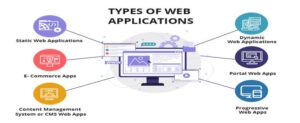
    1. Static web applications

    If you decide to create a static web app, you should be aware that it will display very little content and will be limited in its flexibility.

    They are usually developed in HTML and CSS. However, animated objects such as banners, GIFs, videos, and so on may be included and displayed in them. They can also be created with jQuery and Ajax.

    Professional portfolios and digital curriculums are two examples of static web application development.


    1. Dynamic web applications

    On a technical level, dynamic web applications are far more complex. They load data into databases, and their contents are updated each time a user accesses them. They typically include an administration panel (called a CMS) from which administrators can correct or modify the app’s content, such as text and images.

    Many different programming languages can be used to create dynamic web applications.PHP and ASP are the most common languages used for this purpose because they allow you to structure the content.


    1. Single-Page Applications

    Because of the limited amount of information, single-page applications allow clients to communicate with the website page without difficulty. Requests and responses occur effectively. SPAs are faster than traditional web applications because they perform logic on the internet browser rather than the server. SPAs are simple to create, debug, and deploy, resulting in a smooth and quick experience.

    Because of the customer side of logic, execution SPAs figured out how to satisfy and keep up with the promise of their name. They unquestionably allow clients to interact with a web application from a single page freely. Furthermore, the interaction and connection are much faster, as requests and responses impart small amounts of information and occur almost instantly.

    Typically, any single-page application can be updated according to the needs later in the future. On the other hand, single-page apps are incompatible with SEO regulations due to the use of universal URLs. As a result, this web application is not appropriate for e-commerce. However, single web applications and agility can benefit social networks, e-mail services, and online video/audio players.

    Examples: Gmail, Google, Trello, Google Maps, Twitter etc.

    1. Multi-Page Applications

     Multiple page apps are web apps that include multiple pages and reload the entire page whenever the user navigates to a different page.

    For example, when you log in to Amazon to buy a mobile phone, you must first click on a specific mobile phone; once you add a phone to your cart, press the following button. The web app will redirect you to the next page; finally, you must click on buy and be redirected to the cart page to complete your order.

    Companies such as Google Docs and Trello provide various services and products. As a result, they allow their users to interact with the application in various ways. As a result, they opt for multi-page applications.

    5.      Animated Web Apps

    An animated web app is a web application that supports animation and synchronization on a web platform. Sqadeasy and Miki Mottos are two excellent examples of animated web apps.

    SVG, HTML5, CSS, and JavaScript are typically the best solutions for creating animated web apps.

    1. Progressive Web Apps (PWA)

    PWAs are among the most well developed type web applications that resemble mobile apps. Users can access all of the data and features that improve the web application’s performance and mobile adaptability by using any mobile browser.

    PWA is a modified version of the SPA, which is true in practice.

    The primary goal of PWAs is not to introduce new architectural rules but rather to improve the speed and flexibility of web applications in the face of slow/lousy internet connections. The main improvements are cashing, better data transfer over HTTP/2, and home screen installation.

    Examples: Starbucks, Forbes, OLX, MakeMyTrip, etc.

    1. Content Management Systems

    A content management system enables the creation, modification, and management of content without technical knowledge. You don’t even need to know how to code or markup languages. A content management system (CMS) can be oriented to either blogging or general web publishing.

    CMSs are well known for their use in personal blogs, corporate blogs, media outlets, etc. Some examples of popular content management systems are:

    WordPress is without a doubt the most popular content management system available. There is a wealth of information, tutorials, and guides available on the internet to assist you in customizing it and comprehending how it works. Aside from that, it is completely free.

    Joomla is the second most popular CMS after WordPress. It does not have as many users as the latter, but it does have a strong community and is also very user-friendly.

    Drupal is a free and open-source content management system (CMS). It is very adaptable and is especially recommended for community building.

    1. E-commerce apps

    If the web application is an online shop or store, the development process will most likely be similar to that of an e-commerce or e-commerce site. The development process for this type of app is more complicated because it must support electronic payments via PayPal, credit cards or other payment methods.

    The developer must also create a management panel for the administrator. It will be used to add new products, update or delete existing ones, and manage orders and payments.

    Electronic funds, inventory management systems, mobile commerce, the internet market, and supply chain management are all used in e-commerce.

    1. Portal web apps

    Portal web applications enable organizations and their processes to scale by providing personalized access and user-centric navigation based on users’ needs. Some examples of portal apps include client portals, patient portals, and education university portals.

    By portal, we refer to a type of application in which we can access several of its sections or categories via a home page.

    Examples: Insurance and Online Banking Portals, Government Portals, Education University Portals Student & Faculty Portals, Employee Portals, Patient Portals, etc.

    1. Rich Internet Apps

    Rich Internet Applications (RIAs) are a type of web application development that has some of the functionality of desktop applications but is faster and more engaging with better data communication. RIAs are familiar with overcoming browser restrictions, and they rely on customer-side plugins such as Flash, Shockwave, and Silverlight.

    The two main issues with RIAs are the inconveniences they create and the vulnerability they create. Assume the plugin is obsolete; at that point, a few parts of the application or the entire application will not function correctly. These applications can even be used while not connected to the internet.

    AJAX, Java, JavaFX, Adobe Flash, Adobe Flex, Adobe Integrated Runtime (AIR), Google Gears, Microsoft Silverlight, and Curl are some technologies used to create RIAs.

    Examples: Google maps, Youtube, Google.


    1. JavaScript Powered Web Apps

    With the advent of front-end JavaScript frameworks such as Angular.js, React.js, Meteor, and Ember Node.js, among others, there has been a shift in web-app logic from server-side to client-side, allowing for even greater flexibility and adaptability than occasionally embedded AJAX.

    Client-side logic has begun to take over server-side tasks such as processing and handling user requests and rendering responses. These JavaScript-based web applications perform well, provide various levels of user interaction, and are search engine optimized.

    Examples: Client-Portals, Business-Centric Web Applications, etc.

    Click Here for- Web Development 

    Web Apps

    Conclusion

    It is difficult for a single web app to meet all of the needs of an organization. Various types of web application development are suitable and appropriate for various organizations. As a result, it is critical to assess your requirements and make an informed decision regarding web application development.

    For example, E-commerce businesses are more likely to use e-commerce web applications. Educational institutions prefer portal web apps. As a result, the web app you choose should be based on your business type and target audience.

    The article can help you navigate the selection process. If you cannot locate a suitable web application, you can always seek the assistance of a reputable and experienced Nashville web design company.

    FAQ

    1. Q. What technologies are used in the development of web applications?

    According to W3Techs, 97.5 percent of web apps are powered by JavaScript. In addition to JavaScript, we use the following web technologies to create modern web application solutions.

    • Django
    • CodeIgniter
    • Yii PHP framework
    • Microsoft .Net framework
  • Real Time Edge Processing Helping Machine Learning Vision

    Real Time Edge Processing Helping Machine Learning Vision

    Continual development of new capabilities is a hallmark of the Internet of Things (IoT). Machine learning (ML) and machine vision are among the most promising of these match-made-in-heaven technologies (MV). Let’s take a look at how the capabilities of these technologies are boosting applications in the medical and industrial IoT (IIoT).

    Our World Is Being Changed by Machine Learning (ML) and Machine Vision (MV)

    A wide variety of machine vision image processing and classification jobs may benefit from the use of machine learning methods. In addition, machine learning and machine vision capabilities are becoming more cost-effective to include in an expanding number of IoT goods because of their widespread use.

    Also read: Online Data Science with Python Certification

    Industrial camera modules house digital sensors for most machine vision systems, which process and interpret pictures. Machine vision applications can safely and consistently execute difficult tasks when paired with machine learning.

    As an example, artificial intelligence and machine learning for edge computing may be used to monitor patients or discover abnormalities in radiological pictures, which can lead to better patient care or even the saving of lives.

    They are able to check a large number of identical products on a conveyor line without mistake or weariness in an industrial setting. Although you may use machine vision in practically every mass manufacturing process that needs visual monitoring, it can save money and improve quality. It is possible to eliminate human error and offer greater quality control at cheaper costs with the use of machine vision technology.

    Machine Learning and Machine Vision Benefits for Business:

    There are numerous advantages to using machine learning and vision together, but those that have a direct influence on the bottom line are the most essential ones.

    • A higher standard of craftsmanship: Performing a series of tests to ensure the quality of the finished product.
    • An increase in productivity is achieved by automating and speeding up the completion of routine, repetitive work.
    • It is possible to save expenses by adding machine vision capabilities to equipment. In a production context, machine vision systems take up less space and do not need the same amount of safety infrastructure as human operators.

    Also Click here for- Software Development 

    Why edge ai computing?

    All ML/MV apps must be able to run in the present moment. A rising number of businesses are moving away from cloud-based computing for machine learning in favor of installing it closer to where business processes or functions are being carried out on the ground. When bandwidth or latency are an issue, Edge AI computing is a great option. For example, in a manufacturing plant where hundreds of products per minute are being examined by an ML/MV system, edge computing is ideal.

    Benefits of edge ai computing in terms of performance:

    Some of today’s most significant gains or applications of edge intelligence in efficiency and performance may be found are:

    • Edge computing reduces the amount of time it takes to respond to local events. Due to the lack of a server-side round-trip, the system responds more quickly.
    • Offline capability: In the event of a communication breakdown, the system can gather, store, and analyze data on its own without the need for external intervention.
    • Saving money: Networking expenses are reduced when less data is sent across the network, such as with cellular connections that demand data use.
    • It is possible to reduce the amount of electricity used by network connections. In battery-powered IoT devices, reducing the amount of data sent may conserve power, which can be advantageous.

    Using the Right Tools and Software Can Help You Achieve Your Goals:

    In order to ensure a successful implementation of machine learning-based image processing, it is important to choose the correct hardware, development tools, and software components.

    When it comes to developing machine learning-based imaging systems on embedded devices, Au-Zone Technologies has a toolset that is particularly intended for this purpose. With one common methodology and model format, the company’s inference engine supports MCU, CPU, and GPU cores, allowing versatility and mobility across platforms.

    In addition, as a result of the Digi ConnectCore 8X system on module (SOM), the inference engine may execute effectively on any of the three types of computing resources: MCU, CPU, and GPU. Thus, the two technologies are complementary to one other.

    Discover, Scale, and Innovate

    A significant amount of time and effort is still required to develop and apply machine learning capabilities, which are expected to provide substantial benefits in the near future. However, as new business advantages and use cases emerge, the inventive firms that use these technologies early stand to gain a competitive edge. Additionally, these businesses will obtain the knowledge and skills required to extend their implementations into different use cases and fully use the technology as it is improved and expanded.

  • 10 Critical Strategies to Improve Enterprise Mobile App Development

    10 Critical Strategies to Improve Enterprise Mobile App Development

    The decade’s enterprise innovation arena brought several digital concepts to the limelight–enabling businesses to manage & automate multiple tasks. Therefore, now every business understands the significance of digital transformation initiatives.

    From AI to blockchain, automation to business intelligence, you can see several technologies being used by both large & small businesses to improve CX, enhance operations, and reduce time & cost.

    Amidst these tech trends, enterprise mobile application development is prominent and the most sought-after practice. Take a look at how the global enterprise mobility market is expected to grow by 2030.

    Global enterprise mobile app development RevenueSo, don’t you want to create an enterprise app for your organization? Why is it important to create an enterprise mobility solution for businesses? To understand! Let’s take a look at some facts indicating the significance of enterprise mobile apps.

    • 35% Increase in ROI companies experienced after investing in enterprise mobile apps.
    • 47% of enterprise internal communication improved with mobility apps.
    • 21% increase in company employee satisfaction due to enterprise mobility apps.
    • 23% surge in employee satisfaction due to enterprise mobility apps.

    Clearly, enterprise mobile apps can turn out a boon to a company’s endeavors to boost growth, employee & customer satisfaction, and reduce operational costs. Thus, creating an enterprise mobile app has become a necessity more than grandeur.

    Since it has become crucial for enterprises to invest in mobile app development, mistakes in planning, development, and deployment are obvious. Creating an immaculate & error-free enterprise mobile app in one go is almost impossible.

    Thus, we will glean insights into the best strategies for enterprise app development. So, stay hooked with me till the end of this blog.

    10 Vital Strategies for Successful Enterprise Mobile App Development

    #1. See Through the Users’ Needs

    Since there are specific frameworks that allow you to build sleek and user-friendly solutions, developers can perceive that a particular framework can work for customers of similar demographics.

    Logically, the company must understand customers’ requirements first. Neglecting It leads to a lot of hassle in the later mobile app development stages. Consequently, you have to compromise with every feature of the application just due to insufficient R&D strategy.

    Hence, experts strongly recommend demographic research before getting into mobile app development. Truly, this practice helps in avoiding the latter hassle due to misconceptions about customers’ needs.

    In a nutshell, don’t avoid customer research to ensure that the development prospect of your project works out well.

    Here are some aspects that you must consider while researching customers’ needs.

    • What do customers expect from the app in terms of UI?
    • What are the new digital features customers appreciating?
    • What’s the age of your target audience and their interest?

    Answers to all of these questions provide critical insight into your target users, and you can learn what you should do and what you shouldn’t. 

    #2. Outline Success Criteria & Objective

    Before you begin enterprise app development, recognizing your goals and success criteria is critical. For a beginner in app development, defining an app success is hard. Sometimes, you may end up making an inconsistent decision that can cause app failure.

    Thus, you must have a clear picture of app success. Basically, success criteria include measurable entities that you seek as an outcome of the project plan. So, app success criteria may include App downloads, active users, app subscriptions, and revenue generated through the app.

    Furthermore, enterprise app development goals entail performing certain business internal & external operations smoothly while gathering customers. Thus, make sure you outline all of these success measures beforehand to lead your app development in the precise direction.

    For more support, you can connect with an enterprise app development company enabling consulting & planning assistance.

    #3. Plan Stakeholder Management Beforehand

    You already know that supervision and guidance play a crucial role in every project’s success. Similarly, you must ensure that your project is spearheaded by experts. Also, every entity related to app development & marketing must have an expert to see the product in the daylight.

    Thus, you should have a dedicated team to monitor & perform different functions of app development & launch. So, you must assign a C-level individual to lead the function and offer principal support.

    Conventionally, CTO (Chief Technology Officer) undertakes the role of app development in the initial stages, and later other experts join the group of stakeholders for processes like Finance, Marketing, and Operations.

    Truly, establishing an initial number of stakeholders yields several significant advantages. However, there is a drawback of having too many stakeholders. They can cause a lot of issues in the app while focusing on a few functions efficiently.

    To deal with this, you have to plan stakeholder management properly. First, make a list of every possible stakeholder contributor to your project, and strike off the ones that don’t have to carry on significant functions initially.

    It looks a bit dull task, but believe me it is critical. So, try to weigh the need and efficiency of stakeholders to figure out both monetary and non-monetary contributions.

    #4. Evaluate Your Platform Against Your Target Audience

    You must know that there is a huge dissimilarity between conventional software and enterprise mobile applications. Thus, developers need to have a different approach to get the end result.

    And! That’s where a number of developers lack! Therefore, you must recognize one-to-one objectives of developing an enterprise mobility solution, and mustn’t overlook the target audience. Make sure to evaluate your app and keep your target audience on the other side of the scale to identify loopholes.

    So, how do you do this evaluation? Here is the way.

    • Firstly, identify the useful features and stories that can help you comprehend and find out the core of your application.
    • Accordingly, you can recognize the cost of developing an app. If you can’t, just use the Value Proposition Design strategy to outline goals and setbacks in your app development initiative.
    • Evaluate features’ effectiveness on your target audience, and remove ones that don’t yield a positive outcome.

    What else you must ensure?

    Before creating any features in your app, make sure to ask yourself–“Why are we making this app for?”. If the feature fits the framework, then you can prioritize everything aligning users’ requirements and what will product serve.

    Moreover, you can narrow down the requirements by labeling your platform and the audience that will use the application. Furthermore, you can consult a tech expert to ensure your mobile app outlines align both goals and target audience.

    #5. Outline Privacy & Security Features

    Data breaches and thefts are more frequent than expected in the current marketplace. Hackers around the world have innovative ways to peek in, leak data, and misuse your app features.

    Since a number of business people will access your enterprise mobility solution, you should ensure robust security & encryption provisions. Also, it is possible that you or other enterprise professionals may store confidential data in the app.

    Thus, you need to ensure that your enterprise mobile app has stringent security provisions to deal with risks and hacks. Enterprise mobile app developers can suggest various hacking protection features and design encryption mechanisms to ensure the utmost app safety features.

    However, you need to plan your app safety by considering the following aspects:

    • What are the types of information users will submit to the app?
    • What should be the gravity of confidentiality of user data?
    • What level of protection do you want to ensure for data security?
    • Who can access what information?

    You have to think through all of these aspects before getting into enterprise app development. Only then you can ensure app data safety and risk failure. Having expert assistance can help you in it, I would recommend you to reach out to enterprise app development & cyber security experts.

    #6. Think Through All the Technical Trends

    Possibly, you may not be aware of all the technical details & features you seek in your enterprise app. So, it is better if you do research to outline all the technical capabilities you seek in the app.

    To name a few:

    • Cloud support
    • Data storage
    • Server capabilities
    • Automation
    • AI & ML capabilities
    • IoT & Data management
    • Sensor-enabled data gathering capabilities and more.

    Succinctly, there are a number of technologies that empower your enterprise mobility solution with various incredible features. For example, AI & IoT trigger automation–that can be a billion-dollar cost saving feature in your enterprise app.

    Thus, it is crucial that you identify the technologies and trends that can make your application a next-generation product. So, do comprehensive research, and outline digital trends that can benefit your enterprise app by drawing more users to it.

    For this, you can take help from developers and enterprise app development consultants with comprehensive industry exposure & expertise.

    #7. Innovate The Way Users Experience Your App

    User experience is the magical ingredient that can turn out boon for your enterprise app– if planned well. So, I will recommend that you don’t hesitate to innovate your app’s end-user experience.

    Don’t get confused! I am not asking you to infuse some animation to your UI or add more emojis to the chat window. Though you can think of some elegant UI trends to make, I am asking you to innovate how users experience your app.

    Just for a notion, you can add sensors and forms to make your app more user-friendly & futuristic. Also, you can add voice & chatbot smart assistants that enable users to get answers to their queries in the simplest & fastest way.

    So, recognize potential user experience trends to innovate your app end-user experience by adding exciting features. In the end, it will ensure your long-lasting app journey while capitalizing on modern digital trends.

    What Else Must You Ensure?

    Don’t forget that app UX/UI experience also plays a significant role in app success. Thus, you make sure to create an effortless, chic, and sleek user experience. The app experience is the first thing users encounter after downloading your app, then they move on to features.

    If your app fails in making a good first impression, everything else can’t retain users for eternity. So, don’t neglect your app UI design and ensure simple & user-friendly navigations with swift app loading speed.

    For better assistance & development strategy, reach out to an mobile app development company with an expert UX/UI team.

    #8. Ensure Cross-platform Compatibility & Scalability

    Possibly, in the endeavor to launch an enterprise mobile app, you may don’t recognize the need to make the product accessible & running properly on other platforms. Don’t make this mistake! You may end up losing potential users or fail to retain existing ones.

    So, create a solution that is accessible to all platforms regardless of device, screen size, and OS. Moreover, monitor your application scalability at several enterprise app development levels.


    Scalability is a critical aspect in ensuring the utmost app experience. If your application fails to handle heavy user traffic and crashes, your app can lose trust. So, make sure that you don’t overlook these aspects while app development.

    #9. Learn From Consumer Apps

    There are billions of consumer apps on the Google Play Store and App Store. While developing an enterprise mobility solution, you can glean several crucial insights from their market journey and learn from both their success & failure.

    However, you need to be careful. Don’t blindly follow what they did, possibly something that didn’t work for them can turn out best for your app. So, take ideas on features, user experience, and what you should avoid.

    It will help in understanding users’ interests and how they react to certain features.

    #10. Figure Out Ways To Promote The App

    For the app to be successful, you need to market it well. You have to design a strong selling strategy to ensure that your application gets downloaded from your internal app store.

    You have to make sure that your enterprise mobile app reaches employees, as many as possible. Besides, it is critical that you adopt a slightly different marketing approach that allows you to leverage internal aspects of the organization.

    With the help of human resources, communication, and marketing teams to make strategies and run a campaign for promotion. It can help you figure out multiple channels for marketing.

    Wrapping Up

    Enterprise mobile apps are a critical tool in 2022 to gain employee loyalty and better work productivity. Fortune 500 has already proclaimed mobile devices as a critical tool to accomplish organizational work goals.

    So, it is critical that you embrace an enterprise mobile app strategy that can help you excel in operations by enabling employee/customer trust & safe working environment. Moreover, make sure to create a user-friendly and immaculate enterprise app.

    For this, you can take help from an enterprise app development company with wide industry exposure and tech expertise. But! You need to keep the suggested tips in mind to lead the development towards success.

  • Top 6 Reasons To Avoid Cheap SEO Packages

    Top 6 Reasons To Avoid Cheap SEO Packages

    When it comes to SEO, many businesses make the mistake of opting for cheap packages without doing their research first. Unfortunately, this can often do more harm than good to a company’s online presence.

    When companies opt for cheap SEO packages, they are usually sacrificing quality for quantity. In other words, they may be getting a lot of low-quality links or content that is not relevant to their website. This can actually hurt their ranking on search engines instead of helping it.

    Additionally, companies who go for the cheapest option may not be getting the full range of services that they need in order to be successful with SEO. A comprehensive SEO strategy includes keyword research, on-page optimization, link building, and content marketing. Many cheap SEO packages only offer a fraction of these services, which can leave businesses at a disadvantage.

    Top six reasons to avoid cheap SEO packages:

    Below are some of the top reasons why you should avoid cheap SEO packages:

    1. You Get What You Pay For

    This is perhaps the most important reason to avoid cheap SEO packages. With SEO, you really do get what you pay for. If you try to cut corners and save money by opting for a cheap package, chances are that your results will reflect that.

    A cheap SEO package may get you a few low-quality links or some poorly written articles, but it’s not going to do much to improve your search engine ranking or help you attract more visitors to your website.  In order to see real results with SEO, you need to invest in a quality package that will provide you with the services you need to be successful.

    2. Low-Quality Links and Content

    As we mentioned before, one of the biggest dangers of cheap SEO packages is that they often include low-quality links and content. Some companies will try to boost their numbers by buying links from link farms or by filling their website with articles that are poorly written and full of keywords.

    However, these black hat techniques can actually hurt your ranking on search engines. Google and other major search engines are constantly changing their algorithms to penalize websites that engage in these practices. So, if you want to avoid being penalized, it’s important to steer clear of cheap SEO packages that use these methods.

    3. You Might Not Get the Services You Need

    Another problem with cheap SEO packages is that they often don’t include all of the services you need to be successful with SEO. A comprehensive SEO strategy should include keyword research, on-page optimization, link building, and content marketing. However, many cheap SEO packages only offer a fraction of these services.

    As a result, you could be missing out on some vital components of SEO. This can put you at a disadvantage and make it more difficult to achieve the results you’re looking for.

    4. You Could Damage Your Reputation

    When it comes to your business, your reputation is everything. If you damage your reputation by using black hat SEO techniques or by buying low-quality links, it can be very difficult to recover.

    So, if you want to protect your reputation and make sure your business is seen in a positive light, it’s important to avoid cheap SEO packages. In addition to this, cheap SEO hampers the branding that you have worked so hard to build.

    Opting for a cheap SEO package may save you money in the short term, but in the long run, it will likely cost you more. This is because you will likely need to invest more money to fix the damage that has been done or to improve your reputation.

    5. It’s Hard to Measure Results

    When you invest in SEO, it’s important to be able to track your results so you can see how effective your strategy is. However, it can be difficult to measure the results of cheap SEO packages.

    This is because many of the services included in these packages, such as link building and content marketing, take time to show results. So, if you opt for a cheap package, you may not see any results for months, or even years. In addition, cheap SEO packages often don’t include comprehensive reporting. As a result, you may not be able to track your progress or see which areas need improvement.

    6. You Could Waste a Lot of Money

    Investing in SEO can be expensive. However, it’s important to remember that SEO is an investment, not a cost. When done correctly, SEO can generate a lot of revenue for your business.

    Cheap SEO packages, on the other hand, are a waste of money. This is because you’re not likely to see any return on your investment. In fact, you could end up losing money if you opt for a cheap package and your website is penalized as a result.

    What to do instead? It’s better to go with a professional SEO package:

    Instead of risking it with a cheap SEO package, it’s better to invest in a quality package from a reputable company. A professional SEO company will offer you all of the services you need to be successful with SEO.

    In addition, they will use white hat techniques that won’t put your website at risk of being penalized. And, most importantly, they will help you track your results so you can see the ROI of your investment. So, if you want to avoid the dangers of cheap SEO packages, it’s important to invest in a quality package from a reputable company. This will ensure that you get the results you’re looking for and that your website is protected from being penalized.

    Wrapping up!

    These are the top six reasons to avoid cheap SEO packages. So, if you want to be successful with SEO, it’s important to invest in a quality package from a reputable company. Moreover, if you want to protect your website from being penalized, it’s also crucial that you use white hat techniques. SEO is a long-term investment, so it’s important to be patient and consistent with your efforts.

    Also click here for- Digital Marketing Company

  • 5 Best Practices for Mobile Game Development

    5 Best Practices for Mobile Game Development

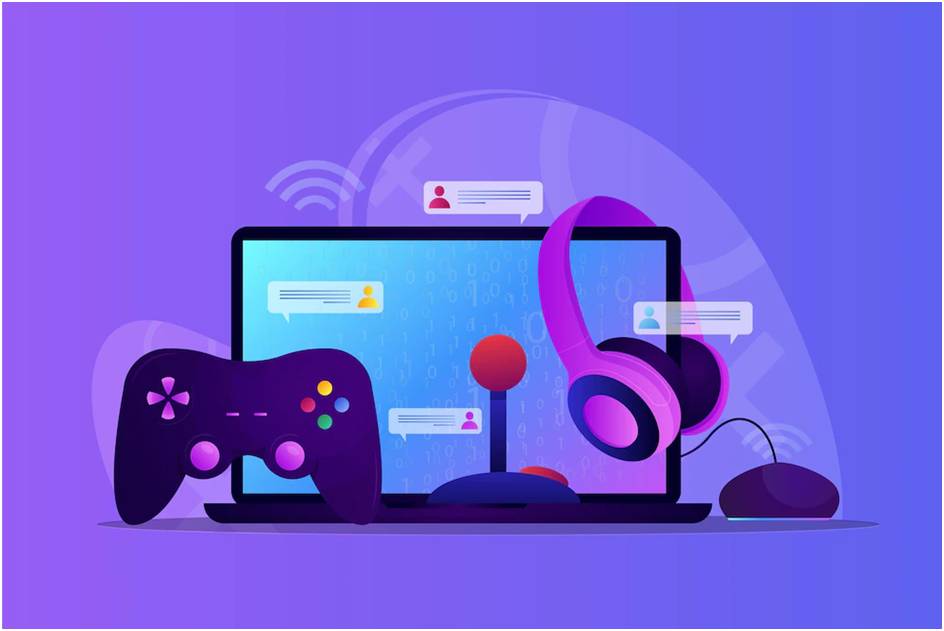
    Mobile games are a booming industry, and so are their development. There are many ways to approach mobile game development, but these five best practices can help you build the perfect game for your targeted audience. Build a Consistent Identity

    Developers should build a consistent brand as early as possible. This includes the use of common UI elements to help users interact with your game. Tools such as Photoshop can design custom icons and images, while Android Studio allows developers to create custom splash screens. These elements are essential pieces of your identity, so it’s important to spend time making them.

    Use Screenshots Wisely

    The screenshots you take for your mobile games will form the foundation for how potential users understand your game and its function. The most effective way to showcase your gameplay is by making sure that every screenshot is eye-catching and memorable as possible. If you’re using any external graphic tools.

    Mobile Gaming and Getting Game Development Developers should build a consistent brand as early as possible. best website development services help to design you a mobile friendly website which also help to mobile friendly user. This includes the use of common UI elements to help users interact with your game. Tools such as Photoshop can design custom icons and images, while Android Studio allows developers to create custom splash screens. These elements are essential pieces of your identity, so it’s important to spend time making them.
    Mobile gaming is an increasingly popular form of entertainment. It has become a popular way for people to relax and have fun. There are several different mobile game development platforms available, each with its own set of advantages and disadvantages.

    The two most common mobile game development platforms are the iOS and Android platforms. iOS devices are used primarily by iPhone users, while Android devices are used primarily by Android users. However, many games are developed for both platforms.

    There are several important factors to consider when developing a mobile game. One important factor is the target audience. You need to decide who your game is designed for and make sure that it is suitable for that audience. You also need to decide how you will monetize your game. Mobile games can be sold in several different ways, including through ads and in-app purchases.

    Overall, there are several benefits to developing a mobile game. The target audience is often larger than for traditional games, making it easier to reach a large number of people. Additionally, mobile games tend to be more interactive than traditional games, which makes them more fun to play.

    Why You Should Become a Mobile Game Developer

    Why You Should Become a Mobile Game DeveloperIf you’re interested in developing mobile games, there are a few things you should keep in mind. First of all, mobile games are one of the fastest-growing segments of the gaming industry. In 2018, the global market for mobile games was worth $24.5 billion. That’s more than the global market for console games!

    Secondly, mobile game development is an incredibly competitive field. There are a lot of talented developers out there, and you’ll need to be able to compete with them if you want to succeed. Thirdly, mobile game development is flexible. You can work on projects that are small or large, short or long term. And finally, mobile game development is relatively easy to learn if you have some experience with programming.

    If these sound like things that appeal to you, becoming a mobile game developer might be the right career choice for you!

    Choosing a Game Starting Point.

    1. Choose a game starting point that is interesting to the target audience.

    One of the most important aspects of any mobile game is choosing a starting point that is interesting to the target audience. This means finding a game that the players are interested in and want to learn more about.

    Once you have chosen a starting point, make sure you keep everything else in the game consistent with that theme. This means making sure all of the art, mechanics, and levels are created with the same focus. It can be difficult to change direction once a game has been developed, but it will ultimately result in a more engaging and satisfying experience for players.

    Ready and Prepared to Develop a Game?

    When it comes to mobile game development, there are a few key things you should always keep in mind. One of the most important things is to be ready and prepared to develop your game.

    Some of the things you need to be ready for include choosing the right platform, developing a working prototype, and testing and optimizing your game. You also need to make sure you have all the necessary resources, such as programming languages, tools, and databases. Additionally, it’s important to have a plan for marketing and distribution.

    All of these factors are important when developing a mobile game, but making sure you are ready is the most essential. Once you are ready, developing your game will be much easier and more rewarding.

    What are the Best Practices for Making a Successful Mobile Game?

    What are the Best Practices for Making a Successful Mobile GameThere are a lot of things that go into making a successful mobile game. Here are some of the best practices that can help you make a hit app:

    1. Make sure your game is easy to understand and play. Your players should be able to pick up the controls and get started without too much instruction.
    1. Keep your game content updated and fresh. If your players stop playing because the content is stale, you’re doing them a disservice. Keep your games constantly evolving so that they offer new challenges and opportunities for players to explore.
    1. Use engaging visuals and audio to keep players engaged. Make sure your game looks good on all devices, from smartphones and tablets to high-end gaming systems. And make sure the sound effects, music, and dialogue are appropriate for the age group that your game is targeted.
    1. Promote your game through effective marketing efforts. Make sure you have an effective social media presence you can also use online marketing agencies like social media services as well as a website where players can learn more about your game and register to receive updates as they are released.

    Conclusion

    If you’re an aspiring mobile game developer, it’s important to follow a few best practices to ensure your games are as successful as possible. By following these tips, you can create high-quality games that users will love and want to come back to again and again. Keep in mind that if you want your games to be successful, it takes more than just good ideas; it also takes hard work and consistent effort. So be sure to put in the time and effort required to make your games hit the mark!

  • Hospital Management Software: Your Complete Guide For 2022

    Hospital Management Software: Your Complete Guide For 2022

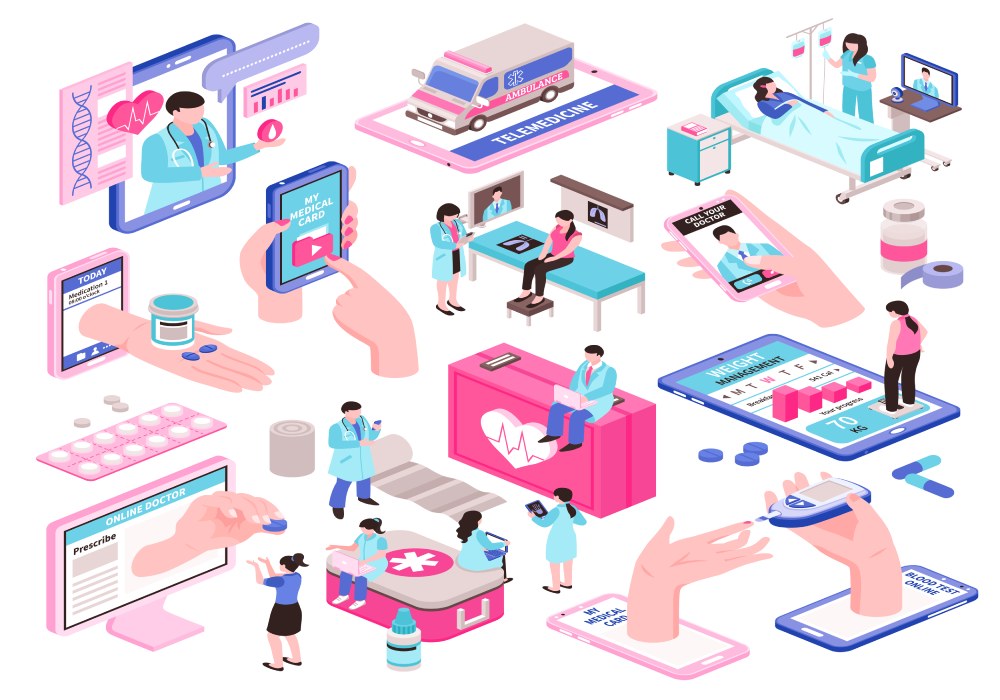
    The advancement of the healthcare industry has made our future and life more stable. Nonetheless, the effectiveness of the industry is seriously blocked by the functional emergency, inescapable administration, and outdated administration rehearses that put an excess of the burden on clinical staff. The burden of tedious administrative tasks affects the actual working nature of the hospital.

    The falling working nature of hospital administrative staff reduces the number of people reaching out for healthcare services as there are many more alternatives available out there that can provide top-notch services starting from administrative to health care. Various hospitals out there provide top-notch, error-free services to their patients by employing hospital management software that automates their administrative tasks demanding little to less human effort. But even if you want to employ a hospital management system for your hospital, you should first get a clear idea about what is your core focus as various types of Hospital management software exist that serve various purposes.

    Types of Hospital Management Systems

    Even though the main task of any hospital should be treating the patients, it should be furnished with various other back end tasks. Administrative task management is as important as any other task in every little to big industry, including the healthcare industry. It helps the patients to trust the hospital with their treatment because of their flawless work. The development of Hospital management software is crucial as it should support every other administrative task of the hospital. Every hospital has its own style of working and the hospital management system should reflect it accurately. As mentioned above, various hospital management software fulfills various types of services. It’s up to the hospitals to choose the best fit model that can perfectly fit their internal working model.

    Types of Services Hospital management system should provide:

    Types of Services Hospital management software should provide:

    • Operational Management Services:

    Easy and straightforward classification and access of information.

    • Patient Management Services:

    Easy Access to Patient Details for Smooth Communication.

    • Report Based Services:

    Lab and Health Report Based System

    • Task-Based Services:

    Admission or discharge management system.

    • Billing and Finance Services:

    Monitoring and Managing the Hospital Finance Along With Billing Generation.

    There are no severe cannons with respect to hospital software development. Let’s browse through the basic hospital management features the software should fulfill.

    Basic Hospital Management Software Features

    Features and functionalities of the hospital management software differ as per the hospital requirements. The software should be based on the requirements of the hospital, needs, working approach and so on that can enhance the working of hospital infrastructure. A software development company can develop the software as per the requirements of the hospital.

    1.   Patient Registration

    It is a really tedious task to enter patients’ details and register them in the hospital system. The software management system allows the user to add the details of the patients manually. Building an appropriate patient registration system is the establishment whereupon the remainder of the patient-communication logic rationale is built. The system should have been enriched with all the necessary patient records including their emergency contact details, their past health records and their scheduled and attended appointments.

    2.   Appointment Scheduling

    The system should allow the users to schedule their physician appointment themselves rather than calling the reception desk. As it will allow the doctors and patients to communicate with each other and browse through the medical history effortlessly. It should also send a notification about the registered appointment with the patient as well as with the physicians. The system should allow both physicians and patients to book the appointment. The software development company can help you develop the software that allows the physician to manage their calendar. It will show the booked appointment to the registered patients to avoid the overlap appointment booking.

    3.   Billing Management

    A hospital management system needs a billing system as much as the registration process. It will help the hospital staff to manage the bills, taxes, costs, revenue and every other hospital-related finance. The automotive task of software will calculate the billing cost automatically representing all the patient’s past financial transactions with the hospital. The software should inform the user about the fixed cost of hospital charges such as visiting fees, lab report costs and so on while booking the appointment.

    The billing system automation will minimize the chances of human errors and will diminish the workload from the hospital time, providing them time to spend on more productive work. Along with that, it will also help to analyze the financial situation of the hospital and patients accurately with better analytics. It can enhance the working efficiency of the hospital guiding them to make more informed decisions.

    4.   Information of Physician

    Various people out there prefer specific doctors to treat them only while the other half prefer to go with the knowledge doctors contain. The hospital management software should collect, verify and display the basic information about the physician such as their education qualification, their expertise, their overall experience, the years of their working with the significant hospital, their achievements and so on that will help the patients to know more about the doctors who are going to treat them and so on.

    5.   Stock Management

    Medical equipment is much more important than it seems. Running out of storage can increase the chances of an emergency, critical cases and so on. The integration of inventory management to the hospital management software can work as a wonder in these kinds of situations. It will accurately manage the inventory without constant human interference. It can also send push notifications about the low stock, stock removal and even out of the stock supplies. Along with that, the system will provide an accurate record of the access to inventories. The inventory management of the hospital will also keep the records of existing drugs, their price, expiration date, restocked date and so on. Along with that, it will only allow the authorized personnel to access the inventory and that will keep the hospital inventory safe.

    6.   Laboratory Management

    Laboratory management is another crucial part of any hospital administrative department. It demands accurate and unmistakable management of reports, collection of reports, reporting to the right person and various other tasks from the associated person. The implementation of laboratory management in the hospital management system enhances the chances of accuracy. It collects the accurate data of the lab reports and keeps them secure in the system, sending the reports to the rightful owner and concerned physician accurately. It also keeps the reports saved in the system for future reference. It helps the physician to analyze the report thoroughly and decide about the effective treatment. It will minimize the chances of errors eventually, enhancing customer satisfaction rate.

    7.   Statistic Reports

    Even though statistics and reports have not proved their importance individually yet, it does play an important role in the healthcare industry. It helps the hospitals with better decision making in regards to the finance, patients, doctors, lab reports and so on. The accurate statistical reports help the physician, doctors and decision-makers to conclude the chances of risk, the finance reports help the administration staff to make better decisions and plan the upcoming year or quarter and so on. A hospital management software helps the administrator department to collect accurate data and generate statistical reports.

    8.   24*7 Support

    It is not easy to learn the working of the hospital management software for everyone around the hospital. Even with learning each and every feature and function of the system with the help of a software development company. That’s why hospital management software provides 24*7 support that helps the patients, doctors and administrative staff with the working of the system. It also helps them to handle the issues and special requests from the users at any time they want.

    9. Telemedicine Solution

    With the rise of the COVID-19, people around the globe have started adopting telemedicine. Telemedicine allows the users to reach out to the physician to get the remote treatment. It has lessened the demand for face-to-face meetings and treatment. The hospital management software can support telemedicine for virtual treatments. It has enhanced the chances of accurate treatment from the remote specialist.

    10. Mobile App for Patients and Employees

    The hospital management software allows the administration department to manage the hospital tasks but can be at the limit when it comes to connecting the patients, employees and physicians. A mobile application can be a perfect solution for that. A mobile application can help to connect the physician, employees and even patients with each other. The mobile application will allow the patient to communicate with the physicians, book appointments, and collect lab reports, while it helps the physician to gather the patient’s details, understand their illness, book, reschedule and check the appointment and so on. The administrative department can communicate with physicians and patients, get and check the patient reports and various other basic tasks with their smartphones.

    Conclusion

    All the above-listed features and functionalities are just the basic functionalities of hospital management software. The software development company can help the hospital to develop customized software as per their requirements. Want to have one for your hospital? Do let us know what specific features you will keep in your hospital management software.

  • The Impact of Java 9 on Software Development and QA Teams

    The Impact of Java 9 on Software Development and QA Teams

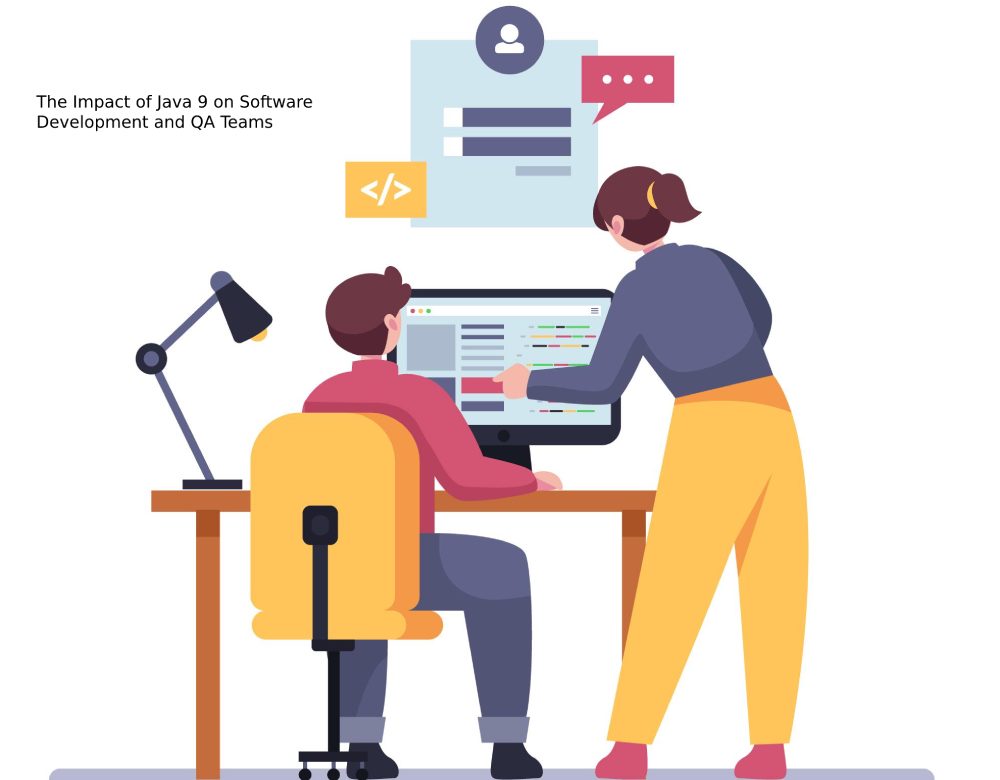
    Java is one of the most popular programming languages in the market today. Java 9 is the latest offering in the Java programming suite and comes with multiple innovations and changes, which may assist software development and QA teams in their daily work.

    The new version of Java was released with almost 90 new features ranging from private interface methods to separate modularity across systems.

    Java 9 has also shown improvements in performance, memory, documentation, compilation, use of hardware and graphics. All these improvements make Java 9 a force to reckon in the market, especially with new innovations coming up in the software development sphere. Java 9 has become a force to reckon in the software development market today, as many people prefer it over other software development solutions.

    The new changes implemented within this new update have improved general UI and have provided a decent opportunity for developers to implement solutions. In this article, we take a look at how Java 9 has impacted software development and QA teams. These developments will come in handy in the long run and improve overall QA operations.

    All That’s New

    Perhaps the most compelling feature introduced by Java 9 is the introduction of modularity in Java. Project Jigsaw or modular Java has the potential to simplify the creation of code and provide easy maintenance options for developers working on programming.

    Modularity has proven to be a wave of fresh air for developers on Java, as it allows them to maintain code easily. The traditional compilation method is followed in coding modularity, which can help create a class-path for code. What this means is that developers can compile code in smaller batches, rather than compiling it all together in one go.

    You also get to choose the sections of your code you would want to remain visible to the masses, while others you would want to hid. Modularity has helped developers built additional security, while also simplifying the design task.

    The modularity can also impact testers. For example, modularity can help make the testing of code a lot easier than before. Instead of running code tests on the entire project, developers can now run tests on particular modules to make sure that they work as expected.

    JShell

    Another feature of Java 9 that makes it easier to work on software development and QA is JShell. JShell is highly popular with developers, because it allows developers to run direct Java statements on the program, rater than writing all of their code in IDEs through Eclipse. JShell is simple to use and minimizes the effort of wrapping code into different methods on the platform. JShell can be usefull for quality assurance teams, as it comes handy for software testing. All software professionals that are new to Java will find JShell to be extremely helpful, especially as it cuts down on the quality assurance process.

    The shell can make learning of Java declarations such as expressions and statements easier and can provide a guiding light for the future. JShell also gives you an option to type Java statements without actually having to confirm the specifications of your Java language.

    JShell has also made the life of software development teams easier. Teams can now write down and print code easily, without having to follow standards set by the public static void string.

    Moving to Java 9

    Many companies have shifted to Java 9 to reduce the workload on their software development teams and QA teams. The shift to Java 9 comes with certain considerations, which are explained below.

    Switching scripting languages and moving to a new language can be a tough task. Updating software and handling the migration process itself requires a lot of effort and dedication. Users should be mindful of certain critical consequences when they are moving towards Java 9.

    First of all, organizations and developers should consider the level of effort that is involved in the migration process. The level of effort should include the effort towards migration and the testing process. Additionally, the teams should also consider the regression testing process is accurate and accounts for the features offered by older versions of Java. Finally, the teams should perform load tests and functional tests to make sure that new capabilities on Java 9 work as intended.

    Before you split and rework your code for the migration, it is highly necessary that you ensure all project deliveries are running smoothly and aren’t impacted by the code. Automatic modules are usually created when you transfer a code from an older version of Java to Java 9. The automatic modules can come in handy at the start, but users should think of moving to truer modules, once they are done with the migration.

    Importance of Testing

    Regression testing itself is an important part of the migration process and shouldn’t be sidelined. All existing test scripts should be refactored so that they truly show the status of your application, after you have the move to Java 9 from an older version of Java or another programming platform.

    Re-running all testing scenarios and steps after the migration will ensure that there are no new bugs present within the modules. The process will also ensure that the regression has not resulted in a failure. An automated testing tool is often the need of the hour to simplify the process and combat rising project size.

    Java 9 is among the best rated software programming languages today and provides an upgrade over older versions. You can try it out to see the benefits in real and how they help you.

  • Magento 2 Shopping Cart Configuration | Detailed Guide

    Magento 2 Shopping Cart Configuration | Detailed Guide

    Introduction

    A shopping cart allows customers to track their progress in an online store or browse the things already available from the same page. You can easily design numerous shopping carts with Magento to provide customers with different information and a better purchasing experience.

    Click here for- Mobile App Development Company in Dubai

    I will go over some Magento 2 shopping carts and how to configure them in this article.

    How To Configure The Magento 2 Shopping Cart Redirect Link?

    When a customer adds an item to their shopping basket, the redirect comes on the screen and prompts them to check out while also offering them the option to continue shopping. You can follow these steps to customise it.

    • Navigate to Stores >> Configuration on your Magento admin dashboard.
    • Select Sales >> Checkout from the left panel.
    • Expand the Shopping Cart area after that.
    • Set all of the options to your store’s specifications.
    • After that, click Save Config.

    How To Configure The Magento 2 Shopping Cart Mini Sidebar?

    When your consumer hovers over the shopping cart symbol, the micro sidebar appears as a dropdown cart summary in the top right-hand corner of the screen. You can enable and customize it using the procedures below.

    • Login to Magento 2 admin dashboard, go to Stores, then Configuration.
    • Select Sales from the left-hand panel, and then Checkout.
    • Select Mini Cart.
    • Configure your options, such as the Maximum Number of Items Displayed, to your liking.
    • To save any changes, click “Save Config.”

    How To Configure The Magento Shopping Cart Link?

    This option lets you choose whether or not the cart icon shows the number of different products (or SKUs).

    • On Magento 2 admin dashboard, navigate to Stores, then Configuration.
    • Select Sales from the left-hand panel, and then Checkout.
    • Select My Cart Link from the Checkout menu.
    • Configure the options to meet your specific needs.
    • To save any changes, click “Save Config.”

    How To Configure The Magento 2 Shopping Cart Gift Options?

    This feature allows your customers to send the ordered item(s) as a present to the receiver, complete with a personalized gift message.

    • Login to Magento 2 admin dashboard, go to Stores, then Configuration.
    • From the left-hand panel, select Sales and then Gift Options.
    • Configure the options to meet your specific needs.
    • To save any changes, click “Save Config.”

    How to Configure the Persistent Magento 2 Shopping Cart?

    The concept behind creating the persistent Magento shopping cart is that you may specify the duration of cookies and other consumer activity variables.

    The following steps will activate the Magento 2 persistent cart and customise its options.

    • First login to your Magento 2 admin dashboard, and navigate to Stores >> Configuration.
    • Choose Customers from the side navigation panel, then choose Persistent Shopping Cart.
    • Enable Persistence should be set to Yes.
    • Set the Persistence Lifetime, which is the amount of time you want the cookie to last in seconds. (A year, or 31,536,000 seconds, is the maximum period allowed.)
    • Choose whether or not to allow your clients to “Remember Me” from the menu. (If you pick “Yes,” clients can choose whether or not they want their login information and other information saved.)
    • Select whether or not you want to Clear Persistence on Sign Out. (If you select Yes, the customer’s shopping cart will be cleared when he exits.) If you select No, the customer’s cart will be saved even if they sign out.)
    • Select whether or not you want the Persist Shopping Cart option enabled. (If you enable it, your shopping basket will be saved even if your browser session ends and the cookies expire.)
    • To save any changes, click “Save Config.”

    Conclusion

    We hope you find the procedures straightforward and helpful in configuring your Magento 2 shopping cart. Furthermore, suppose this encourages you to transfer from your current platform to Magento. You can use our professional Magento hosting, which provides a free website migration service to ensure a smooth transition.

    Click Here for- E-commerce app Development Company

  • How Much Does React Native App Development Cost?

    How Much Does React Native App Development Cost?

    According to reports by Statista, the total number of mobile app downloads will surpass 299 billion by 2023. Creating a top-notch app for popular platforms like Android and iOS can take time and money. Cross-platform development is a clever method to expand your reach.

    Many app development frameworks exist; however, React Native stands out among them. React Native allows developers to create apps compatible with iOS, Android, and other operating systems.

    Functionalities such as single code reusability and Native-like performance make React Native the foremost choice for cross-platform app development. Global brands such as Facebook, Instagram, Tesla, Discord, Walmart, Pinterest, Bloomberg, Skype, and Uber Eats, were developed via this framework.

    In this blog, I will discuss how much React Native app development costs, but before plugging directly into the React Native app price, let’s look at the factors that play a substantial role in deciding the cost of React Native app.

    React Native App Development Cost: Major Contributing Factors

    1.  App’s Complexity and Functionality

    The kind of app you plan to create and the features you want to integrate determine the level of complexity of the app. The application could be of low complexity, medium complexity, and high complexity, relying on the elements mentioned below:

    • Admin Panel Development: Admin panel is a necessary component of the app that allows entrepreneurs to keep track of application activities and update contents, view statistics, etc. On the whole, the admin panel is the component that app owners access to manage the application. The more features you wish to add to the admin panel, the more app’s complexity will increase.
    • Deployment Architecture Model- In backend development, two architecture models are available: BaaS(Backend-as-a-service) and Custom. If you select the BaaS, you will get ready-made backend architecture, and if you choose Custom, you will get the mobile application architecture developed as per your requirements.
    • Third-Party Integration: To make your application more productive, interactive, and user-friendly, you would require integrating it with additional app features to facilitate processes such as login and payment. The more integration you wish to add to the app, the more intricate the app will become.
    • In-app Purchases: Nowadays, many apps come with an in-app purchase functionality. Adding an in-app purchase option increases the react native developer hourly rate as this functionality is difficult to integrate.
    • Advanced Features: Latest smartphones and tablets come loaded with GPS, Barometers, Nearby devices, Bluetooth, etc. Depending upon the type of application you wish to create, you may require to add these features in your app to improve its performance.


       Features                            Average Cost

    • Admin panel               $4,000
    • Login                            $2,000
    • API Integrations         $5,000 per integration
    • eCommerce               $10,000
    • Geolocation               $20,000
    • Internet of Things     $30,000 per integration
    • Messaging                 $7,000
    • Streaming                  $5,000


    2.  User Authorization

    If you plan to create a React Native app without login or authorization, the cost will be less. However, if you wish to add user authorization functionality like Sign in or Sign up, the React Native app development cost would be slightly higher.

    3.  Social Add-ons

    The custom add-ons are critical in determining React Native App development cost. These add-ons will also increase mobile app development cost. So, if you are planning to build a customer-centric app, you might want to integrate the app with different social media channels.

    4.  App Category

    App components such as the number of real-time users, functionality, security aspects, and much more, specify the app category. The more complexities, the more React Native app development costs will be. For instance, apps like a calculator or timer will cost less than eCommerce or On-Demand apps.

    5.  App Design

    What will keep your users engaged with your application? Seamless transitions from one screen to another, adequate user flow, well-designed animations, hassle-free order placing, smooth navigation, etc.

    The design of screens, navigation, and exceptional user experience you desire to provide to your users are directly related to the costs. Its cost decreases to half when you develop an application using React Native framework.

    6.  Team Size

    Creating a React Native app also depends on the size of the development team. The cost to hire React Native developers would differ in two methods:


    Generally, hiring freelancers to build your app is a cost-effective choice. However, freelancers would not provide services up to the standards. Furthermore, partnering with freelancers is also a formidable task.

    Partnering with a React Native app development company is a good choice. These companies are more open to executing innovative mobile app ideas because they aspire to expand their growth by providing excellent services. The hourly app development cost will be approx $41.

    7.  App Distribution

    You should not forget to calculate the app distribution cost while estimating the react native app development cost. App Store and Google Play store take fees up to $100 for developer license costs. You might additionally require to take permission from the host for security-related policies.

    8.  App Maintenance and Support

    It is critical to constantly update your app to fulfill users’ demands and implement the latest trends, translating into user retention, increased engagement levels, conversion rates, etc. The app maintenance cost is generally estimated yearly to be about 20% of the total app development cost, which incorporates application updates, app bug fixes, and design modifications.

    Wrapping Up

    These were some of the deciding factors you must consider while partnering with React Native app development company. However, you should do comprehensive research before assigning the project to a particular company.

    The average cost of creating a React Native app may range from $30,000 to $100,000. If you wish to build a mobile application but are already encountering budget limitations selecting React Native development services is a better choice. It provides a seamless app development process to easy maintenance and smooth migration from any preferred platform to community support.

  • One-Page vs Multi-Page Website- Which is better?

    One-Page vs Multi-Page Website- Which is better?

    One-page website design has become increasingly popular in recent years. Part of this is due to the fact that designing, developing, and maintaining a one-page website is far faster than establishing and maintaining a multi-page website – one-page websites are much easier to create than their more sophisticated counterparts.

    The disparity between these two points of view is significant, which is why we are shifting our web development processes to growth-driven design, which is based on facts rather than opinion.

    What Is the Difference Between a Single-Page App and a Multi-Page Website?

    To those who aren’t in the marketing profession, I believe that many people overlook aspects that could influence whether or not a one-page website is acceptable.

    The goal of this article is to help any stakeholder participating in a website project decide if a one-page or multi-page platform is the best option.

    Single Page Website

    A one/single page website (also known as pageless design) employs a single HTML page to output all of the material and functions associated with it. Navigation links take the user directly to the relevant part of the material or feature when dealing with the web application.

    To perform this procedure, the website frequently employs coding languages such as JavaScript, jQuery, CSS3, or Ajax.

    Benefits Of Single/One Page Website

    1. Quick Reaction

    One of the advantages of single-page applications is that they load faster than MPAs. SPAs receive all sorts of reference data straight from the server, including page structure and layout. When a user seeks information, they are filled with it.

    1. Debugging Made Simple

    SPAs are typically built with technologies like React and Vue.js, which are frequently combined with a Chrome-based developer kit. Debugging is simple with these tools, and it saves a lot of time when it comes to SPA maintenance. The findings are visible to the coder in real time.

    1. Capabilities for Caching

    Relevant data is gathered on the server in single-page applications. All of the data can be cached collectively because it is received in a single bulk. This method promotes user interaction with the source while reducing loading times. With customized requests, only specified non-cached content may be received.

    1. It’s designed to be used on a mobile device.

    For all devices, a single-page design is ideal. Because of the tiny amount of material and the fact that it uses a scroll-down action, which is a natural activity for touch screen devices, it’s simple to optimize for mobile. Not only that, but because it’s only one page, mobile backend optimization is also a breeze. There’s no need to make drastic changes.

    Drawbacks of Single Page Website

    1. SEO opportunities are limited.

    Because there is less material than on a multi-page website, keyword optimization can be difficult. This could make it difficult to rank in search engines and lead to a drop in conversions.

    Furthermore, because you only have one URL to share, if you want to share a specific section of your website, users will have to browse through your entire site to find the section you shared.

    1. Scalability is limited.

    If you’re a growing company that wants to keep developing, a single-page website might not be the best option. Although there is no limit to how long a single page can be, if your site has thousands of words, viewers will be less eager to browse through it.

    As a result, if you need to upload a variety of material or sell a variety of items and services, this may not be the best option in the long run.

    What Is Multiple Page Website?

    Until single-page websites were released, consumers had to make do with multi-page apps. They’re built with HTML and other frameworks. Many existing websites are MPAs today. The server receives a large number of requests in a short period of time when viewing such a web page. When you click a link, another page may appear. As a result, each page must be inserted separately.

    Benefits Of Multi-page Website

    1. Scalability is limitless.

    If you’re a growing company that wants to keep expanding your number of pages, a multi-page site is a great option for you. You have complete freedom to design and create as many pages as you want. The only limitations are the storage capacity of your server and your hosting subscription.

    1. UX that you’re used to

    Because multi-page websites have been there since the dawn of the internet, more people are familiar with them. If you have a well-structured and aesthetically beautiful web design, users are more likely to know how to navigate about utilizing the navigation menus.

    1. Increased SEO possibilities

    You can target more keywords on each page of your site if you have more content. Though your SEO’s full potential is dependent on your marketing efforts, having more content to work with is a huge step forward.

    Drawbacks of Multi-page Website

    1. Visitors are more likely to be confused.

    Visitors are more likely to get sidetracked on a multi-page site than on a single-page site. The reason behind this is that your site has become more content-heavy and takes longer to load. When compared to a single-page site, there is a larger bounce rate. The answer is to make sure the site is well-designed.

    1. Optimizing for mobile is more difficult.

    Unlike a single-page design with a single back-end code, a multi-page site requires you to start from fresh with the mobile version. This is more time consuming and expensive. Fortunately, if you use a strong CMS or website builder, they will usually develop a mobile version for you as you create the desktop version. To be optimal, all you have to do is adjust it a little bit yourself.

    1. Extra upkeep is required.

    The more content you have, the more time and effort it will take to maintain it optimized and current. Your SEO and search engine ranking will suffer if your material is outdated and under-optimized. Fortunately, there are certain tools that can assist you in monitoring and maintaining your website.

    Conclusion

    If you want to deliver short, concise content in a straightforward manner and urge your customers to complete a certain goal, a single-page website is ideal. A multi-page website, on the other hand, is useful if you have a lot of content to display and wish to use a typical navigation method. Experts at Global Hunt Technologies always suggests to take a content-first approach while deciding between a single-page vs. multi-page website. Think about what information your users need to know and care about, and then design around it.